
INSTRUCTIONS
——————————————————————————
STEP 1 & 2: Enter the amount of your payment and click “Check-Out”

Step 3: Verify the amount is correct, then click “check-out.”

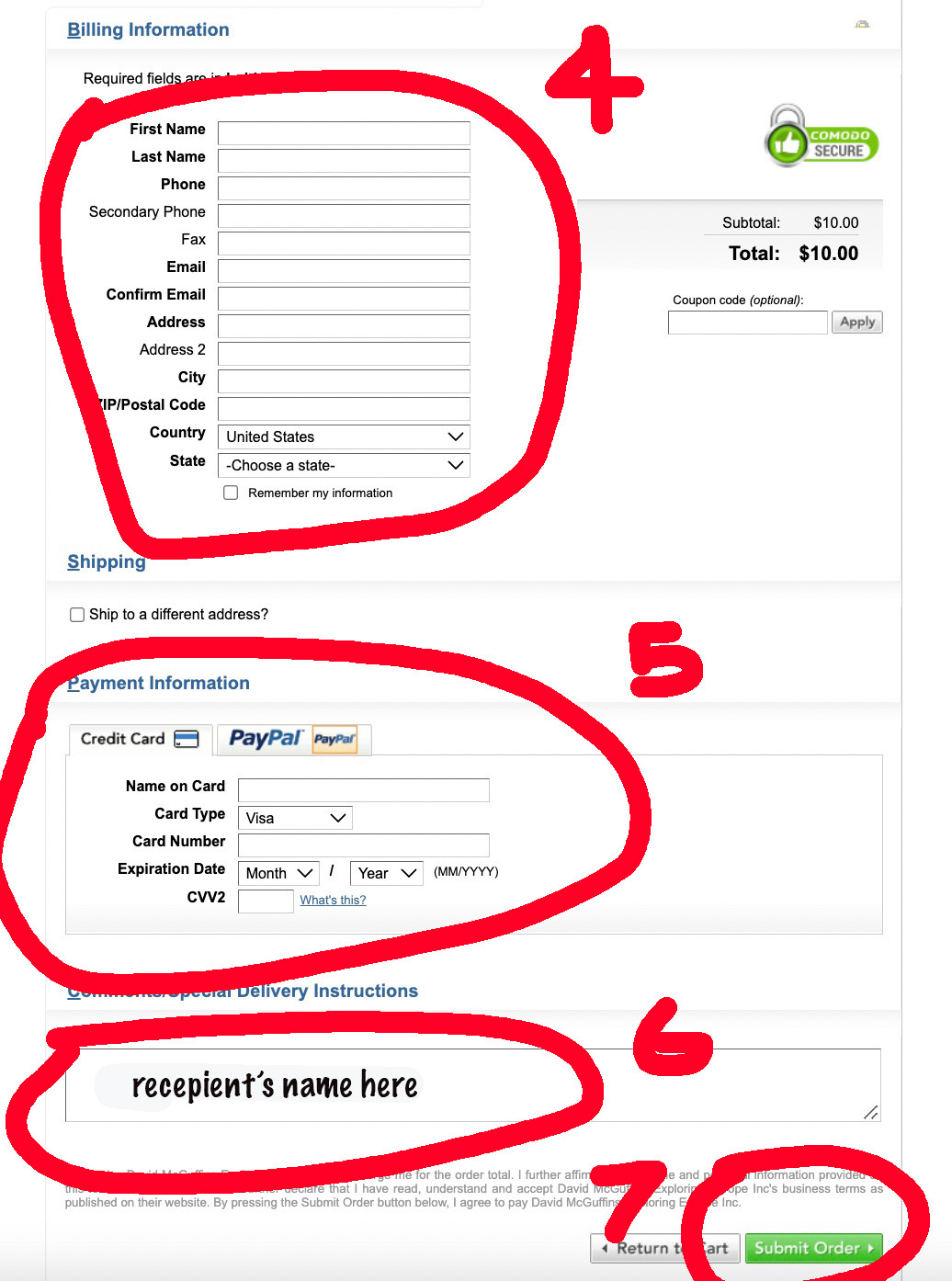
Step 4: Complete your billing information
Step 5: Enter your Credit Card information
Step 6: Type the name of the PERSON (TRAVELER) to be credited.
Step 7: Click “Submit order.”
You will receive an email confirmation of the payment. Exploring Europe will credit the traveler’s account within a few days and send confirmation.
You can securely make a PAYMENT for any amount here>

Alternatively, click the “Make a Payment” tab in this page’s footer. Or if you’ve visited the Make a Payment page several times, you’ll need to clear your browsers history.
